PHP vulnerabilities: the real consequences for your website and the limits of hosting providers' patches
PHP is the invisible engine behind about three quarters of websites whose technology is known, including nearly all WordPress and WooCommerce websites. When a critical flaw is discovered in the language, for example a vulnerability allowing remote code execution, the whole web ecosystem holds its breath.
For a business, understanding the real consequences of such a flaw, and how hosting providers handle it behind the scenes, is essential to protect its revenue and its search rankings.
1. The real consequences of a PHP vulnerability for your website
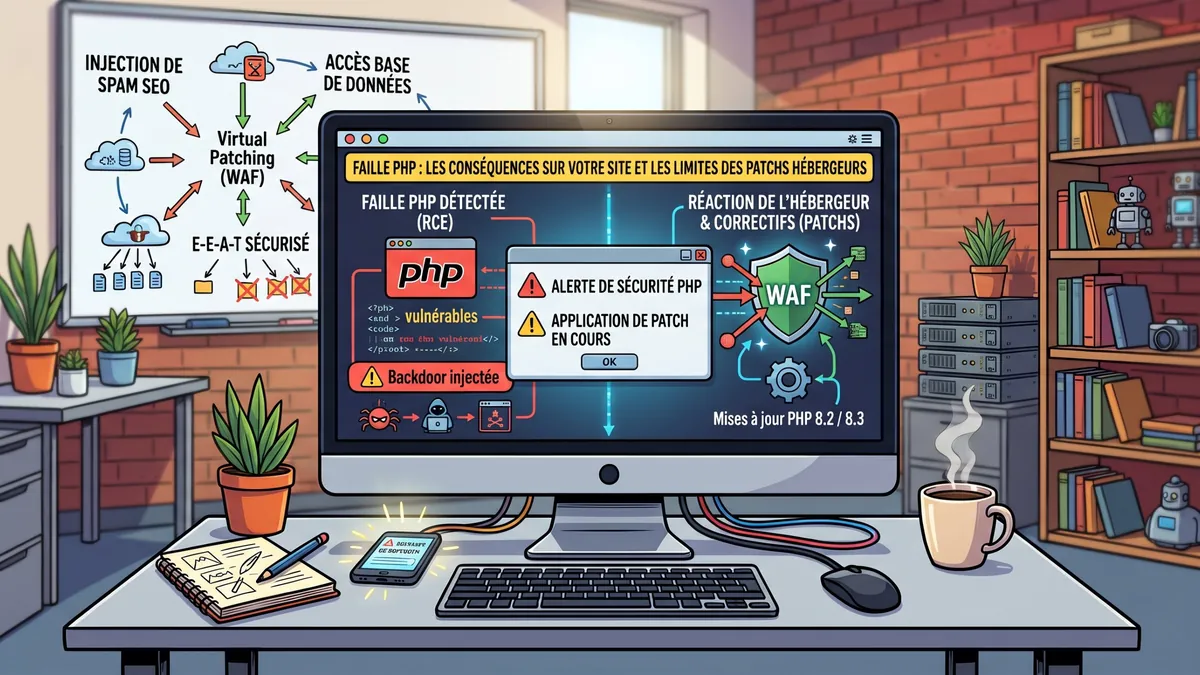
When a critical RCE (Remote Code Execution) flaw is exploited, attackers generally do not need administrator credentials: they use the vulnerability to run their commands directly on your server. The consequences go far beyond a simple “website down”:
- SEO spam, the ranking nightmare: this is the most frequent and most insidious consequence. Attackers create thousands of hidden pages on your domain (often in Japanese or promoting pharmaceuticals). Google indexes them, may display the warning “This site may be hacked” in its results, and your hard-won rankings collapse.
- Customer data theft: on a WooCommerce website, access to the server opens the door to the database: contact details, order histories, emails. In the event of a breach, the GDPR requires notifying the data protection authority within 72 hours, and your customers' trust takes a hit.
- Resource hijacking: the website seems to work, but it is abnormally slow. In reality, attackers are using your server's power to mine cryptocurrency in the background, at the expense of your loading times.
2. The emergency response: hosting providers' patches
Faced with a large-scale PHP vulnerability, serious hosting providers roll out emergency measures to protect their servers, often overnight.
- “Virtual patching” through the firewall: even before updating PHP on all servers, the host adds a rule to its web application firewall (WAF), which analyses incoming traffic and blocks requests matching the attack's signature.
- Retiring obsolete versions: PHP 7.4, 8.0 and 8.1 no longer receive any security fixes, and PHP 8.2 will stop receiving them after the end of 2026. Hosting providers may therefore force a move to a maintained version, such as PHP 8.3 or 8.4.
- The downside of forced upgrades: if your WordPress theme or plugins are not compatible with the new version, the website displays a “critical error”. It is secure… but offline.
3. Why the hosting provider's action is not enough
Believing your website is safe because the host has applied a patch is a mistake.
- Shared responsibility: the host secures the server; securing the application, your WordPress, its theme and its plugins, remains your responsibility. In practice, the vast majority of WordPress hacks come through an outdated plugin or theme, not through PHP itself.
- Backdoors: if the website was infected before the patch, the attacker has very probably installed a backdoor. Even on an up-to-date server, they keep their access. Only a thorough clean-up of the files and database, followed by changing every password, will get them out.
Conclusion
Security and SEO are closely linked: a vulnerable website ends up losing its visibility on Google. Security issues detected by Google also appear in Search Console. The only real protection remains rigorous technical maintenance: regular backups and updates, monitoring and up-to-date PHP versions. We detail the risks of an unmaintained website in a dedicated article.
Worried that your website may be vulnerable, or would you like to hand over your updates and sleep soundly? Contact us for a security audit and discover our WordPress and WooCommerce maintenance plans.
Frequently asked questions
How can I find out which PHP version my website uses?
In your hosting provider's customer area, under web hosting, or in WordPress under Tools › Site Health › Info › Server.
My host has patched the flaw: am I protected?
Not necessarily. The patch protects the server, not your WordPress or its plugins. And if the website was infected beforehand, a backdoor may remain: only a full clean-up removes it.
How can I tell if my website has been hacked?
Common signs: unknown pages in Google (type site:yourdomain.com), a warning in Search Console, unexplained slowness, redirects to other websites or new administrator accounts.

A website, SEO or another request?
Design, redesign, SEO, maintenance, AI assistant or just a question: let's talk. Free quote and quick reply.
Request a quote or contact us