Google Search Console: your website's essential health record
Many businesses keep their eyes on Google Analytics to count their visitors, yet ignore the most strategic tool for their visibility: Google Search Console (GSC).
While Analytics tells you what users do once they are on your website, Search Console reveals what happens before the click. It is the direct line of communication between your website and Google. Here is why setting it up and analysing it regularly is essential for your digital strategy.
1. Indexing: making sure Google knows you exist
For a page to generate traffic, it must first be read (crawled) and then stored (indexed) by Google's bots. Search Console is the only tool that gives you a clear view of this process, straight from the source.
- The sitemap: this is where you submit your website's map (XML sitemap) to guide Google's bots towards your most important pages.
- The “Page indexing” report (formerly “Coverage”): it shows precisely which pages are indexed, which are excluded (and why), and flags critical errors: 404 pages, redirect loops, inaccessible pages. Errors that pile up end up holding back your website's crawling and visibility.
- The URL Inspection tool: it lets you check the status of a specific page and request indexing after an update.
2. Search performance: no more guesswork
This is Search Console's goldmine. The report shows exactly what users typed into Google to see your website appear.
- Queries and impressions: you discover the exact keywords, including the long tail, for which you appear, even without any clicks. Ideal for spotting unexpected queries and adjusting your content strategy.
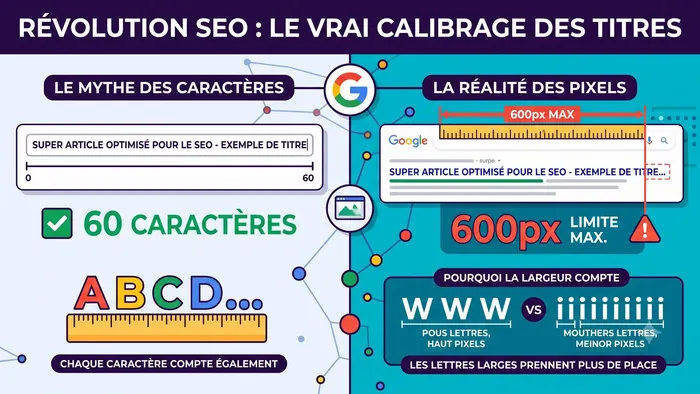
- Click-through rate (CTR) and position: you track your average position for each keyword. Lots of impressions but few clicks? That is the signal to rework your title tags and meta descriptions to make them more appealing.
3. User experience and Core Web Vitals
Google favours websites that are fast, stable and pleasant on mobile. Search Console includes diagnostic reports on these technical aspects.
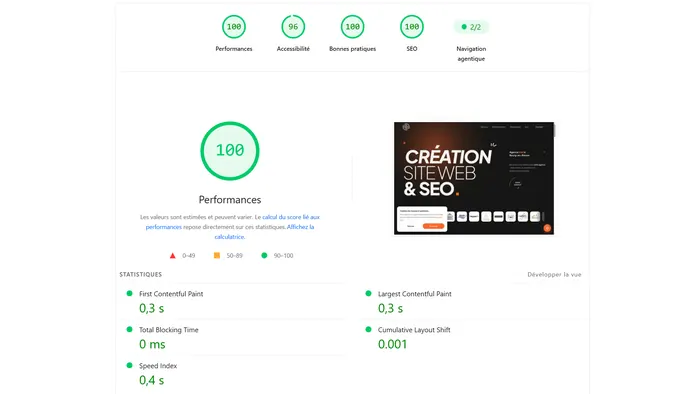
- Core Web Vitals: based on real data from Chrome users, GSC measures how quickly your main content displays (LCP), how responsive pages are to interactions (INP) and their visual stability (CLS). If your URLs are in the red, your whole infrastructure (server, code, image weight) needs auditing. See also our article on PageSpeed and SEO.
- HTTPS: the report flags pages still served without a secure connection.
- Mobile usability: Google removed this report from Search Console at the end of 2023. To check text readability or button spacing on smartphones, use Lighthouse or PageSpeed Insights instead.
4. Security and manual actions: your website's alarm system
When something serious happens, Google uses Search Console to warn you.
- Manual actions (penalties): if your website breaks Google's rules (buying artificial links, mass-generated content with no value…), this is where you receive the penalty notice, from demotion to complete de-indexing, and where you request a review once the issue is fixed.
- Security issues: if your website is hacked, infected with malware or used for phishing, Google alerts you through this dashboard. You can then react before the warning “This site may be hacked” appears in search results. It is one of the reasons why an unmaintained website is so risky.
Summary
| Report | What it tells you | Typical action |
|---|---|---|
| Page indexing | Indexed, excluded and failing pages | Fix 404s and redirects |
| Sitemaps | Site map read by Google | Submit and monitor the sitemap |
| Performance | Queries, clicks, CTR, position | Rework titles and meta descriptions |
| Core Web Vitals | Real-world speed and stability | Optimise server, code, images |
| Security and manual actions | Hacking, penalties | Clean up, request a review |
Conclusion
Opening a Google Search Console account is free, but making the most of its data takes real technical expertise. Cross-referencing these reports helps prioritise the work: redesign, content optimisation or maintenance. GSC is also the foundation of the toolkit presented in our article on SEO analysis tools.
Is your Search Console data showing unexplained errors or a drop in traffic? Contact us for an in-depth technical audit and let's take back control of your SEO together.
Frequently asked questions
Is Google Search Console free?
Yes, completely. All you need is a Google account and to verify ownership of the website (DNS record, HTML file or meta tag).
What is the difference between Search Console and Google Analytics?
Search Console shows what happens before the click (indexing, queries, rankings, impressions); Google Analytics measures what visitors do once on the website (journeys, engagement, conversions). The two complement each other.
How often should you check Search Console?
A monthly look at performance and indexing is enough for a showcase website, with email alerts turned on. After a redesign or migration, weekly monitoring is recommended.

A website, SEO or another request?
Design, redesign, SEO, maintenance, AI assistant or just a question: let's talk. Free quote and quick reply.
Request a quote or contact us